Independent software studio

Tools that enhance
the software you use

Small add-ons, extensions and automations that pick up the piece of the job the app leaves to your hands.

Google Slides™Google Workspace™ChromeChrome Web StoreWorkspace MarketplaceNext up →Google Docs™Google Sheets™FigmaJiraConfluenceNotionSlackVS CodeMicrosoft 365
4products live today
100+languages in Translate Slides
100%local in our Chrome tools
1 dayusual reply, on business days

What we build

Different shapes, same idea — put a small, sharp tool exactly where the work already happens.

🧩 Add-ons for office apps

Add-ons that live inside Google Workspace™ apps — a panel beside your file, one click, job done. You never export the document, fix it somewhere else and import it back. Slides today; Docs™ and Sheets™ next.

🧭 Extensions for browser

Chrome extensions that turn something you do twenty times a day into one click — pull a table off a page, turn a highlight into a flashcard, read a HAR file without uploading it. Small and quick, and they don't ask you to change how you work.

🔌 Plugins for software

Plenty of work happens outside the browser and outside the office suite — in a design tool, a tracker, a team wiki. The same idea fits there: one button, right where the work is. Figma, Jira and Notion are next on our list.

Product spotlight

Our flagship, up close: it translates a presentation into 100+ languages and leaves the design where it was.

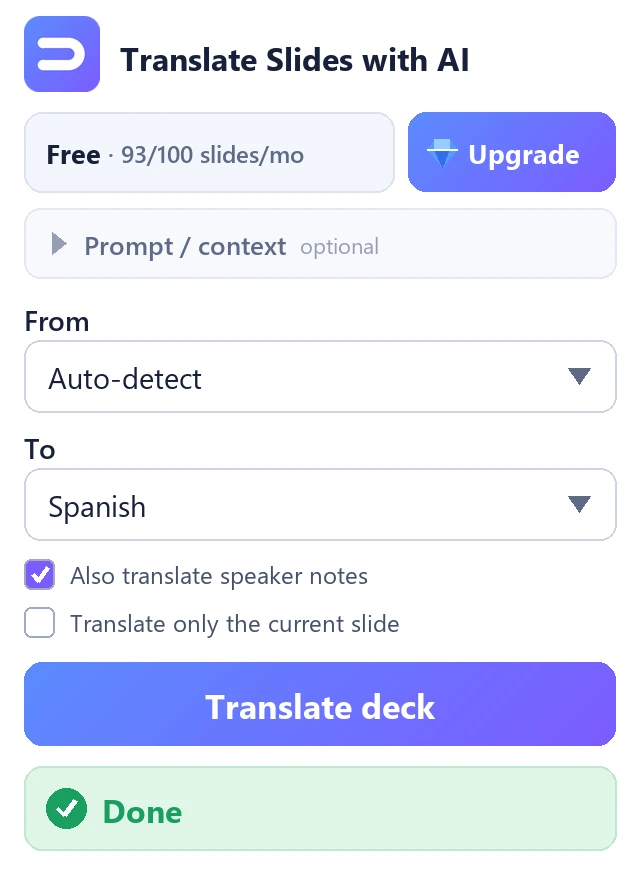
Translate Slides with AI — free to start

A Google Slides™ add-on that translates the presentation you have open into 100+ languages — in place, in one click.

  • Formatting, layout and speaker notes stay where they were
  • Free for 100 slides a month — the same AI engine as Premium, no card
  • No API key, no second account — nothing to set up
  • Works only on the presentation you have open

How we build

Three rules every one of our tools follows — no exceptions.

01

One tool — one job

No mega-apps: each tool solves one problem completely.

02

Private by default

Each tool asks only for what its job needs, and our Chrome tools do their work on your device.

03

Real support

The person who built the tool answers your email, usually within one business day.

Products

Tools we build, ship and support ourselves. Each one is free to start; paying lifts a limit, it doesn't unlock a crippled tool.

GOOGLE SLIDES™ ADD-ON · LIVE

Translate Slides with AI

Translate the presentation you have open into 100+ languages in one click — formatting, layout and speaker notes stay where they were.

Free 100 slides a month · Premium $9.99/mo billed yearly

CHROME EXTENSION · LIVE

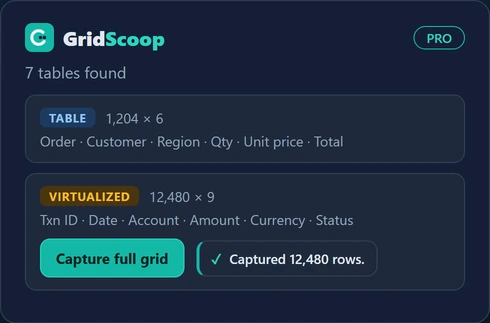
GridScoop

Export almost any web table or data grid to Excel, CSV, Markdown or JSON — including dashboards that only render the rows on screen. 100% local.

Free 300 rows a day · Pro $15/year

CHROME EXTENSION · LIVE

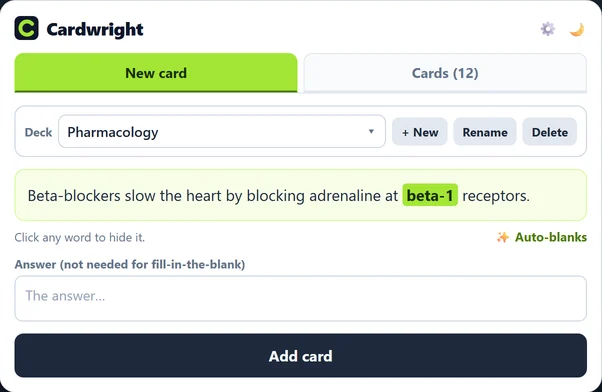
Cardwright

Highlight text on any web page and it becomes a flashcard — review it in the popup, send the deck straight to Anki, or export it for Quizlet. 100% local.

Free 25 cards, 3 decks · Pro $4.99 once

CHROME EXTENSION · FREE

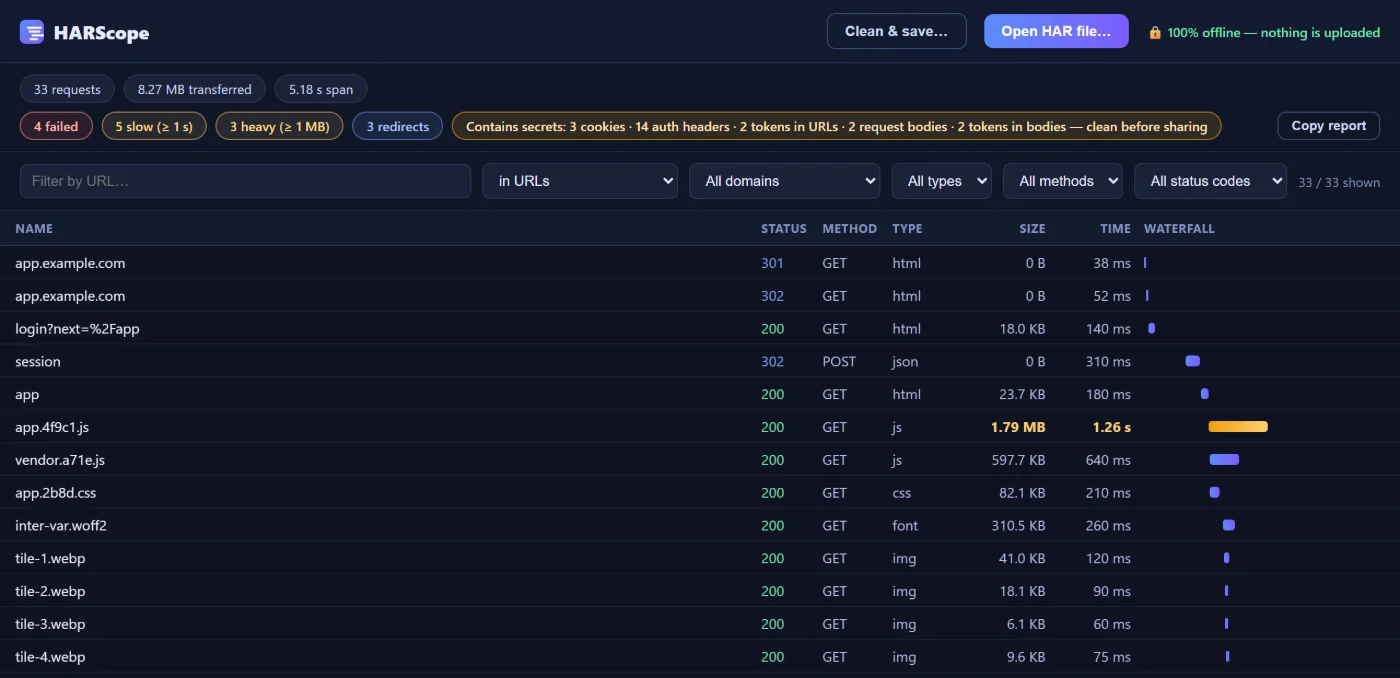
HARScope

Open and inspect HAR files offline — waterfall, headers, bodies, timings. No permissions, and nothing is uploaded.

Free — no account, no ads

In development

Not available yet, and no dates promised. Write to us and we'll tell you when it ships.

GOOGLE DOCS™ ADD-ON · IN DEVELOPMENT

Translate Docs with AI

The same translation engine, built for Google Docs™ — long-form documents with their styles kept.

Get notified →
GOOGLE SHEETS™ ADD-ON · IN DEVELOPMENT

Translate Sheets with AI

Translate spreadsheets and product catalogs in bulk, without touching the formulas.

Get notified →

Guides

Step-by-step answers to the jobs our tools do — including the free ways that need no tool of ours.

All guides →

About

BiLingoPlus LLC is a small independent software studio. We make focused tools — add-ons for office apps, browser extensions and AI automations — and we run every one of them ourselves. We started in translation and localization, and that's still where our deepest expertise is.

Every tool follows the same rules: do one job well, ask only for the permissions it needs, keep your data on your device wherever it can, and be honest about what AI can and can't do. You can always reach the people who built it.

More about the studio →

Still doing it by hand?

One of our tools probably already takes that step off you.

See our products

Contact us

Questions about any of our products — we usually reply within one business day.

Prefer email? Write to info@bilingoplus.com