
Chrome extension · free HAR viewer
HARScope — HAR Viewer, Analyzer & Sanitizer
Read a HAR file offline — and clean it before you send it.
Request table and waterfall, headers, bodies and timings. Spot failed and slow requests, then replace cookies and tokens with REDACTED in a new copy. Zero permissions, zero network requests.
Chrome extensions install on a computer.
- Free
- no account
- no ads
- 0 permissions
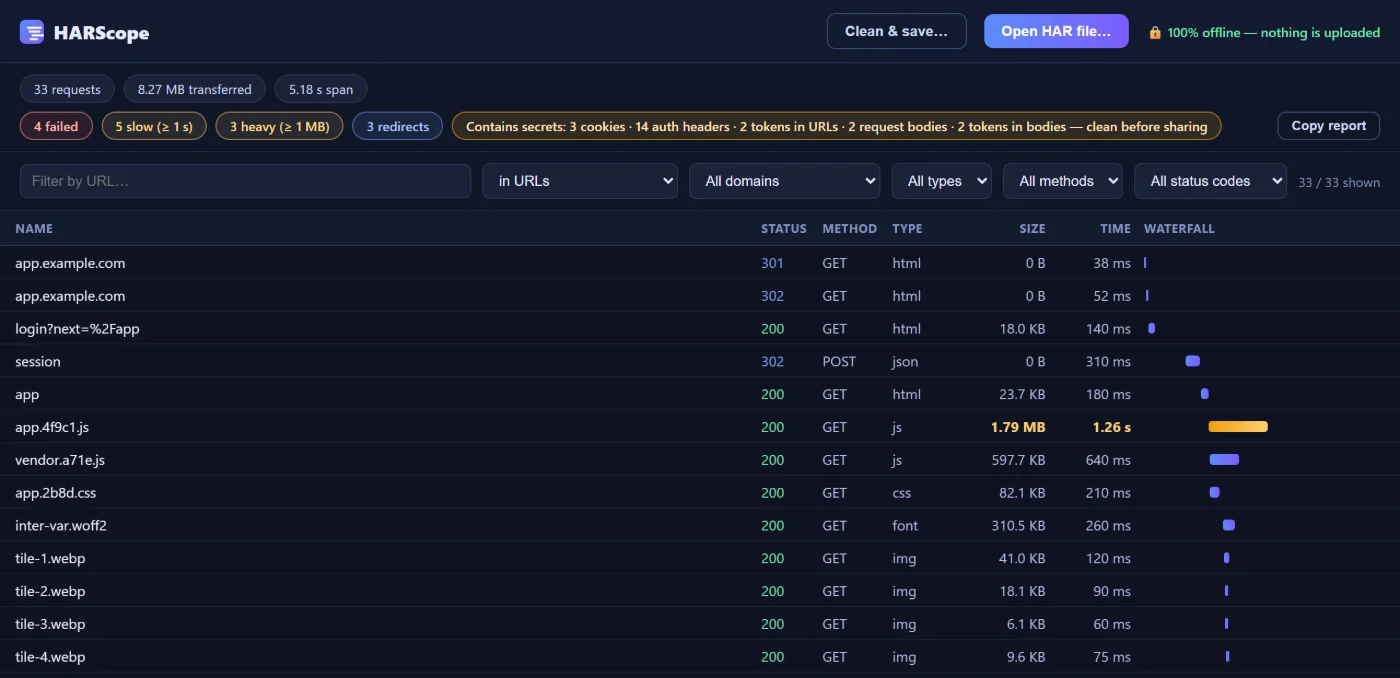
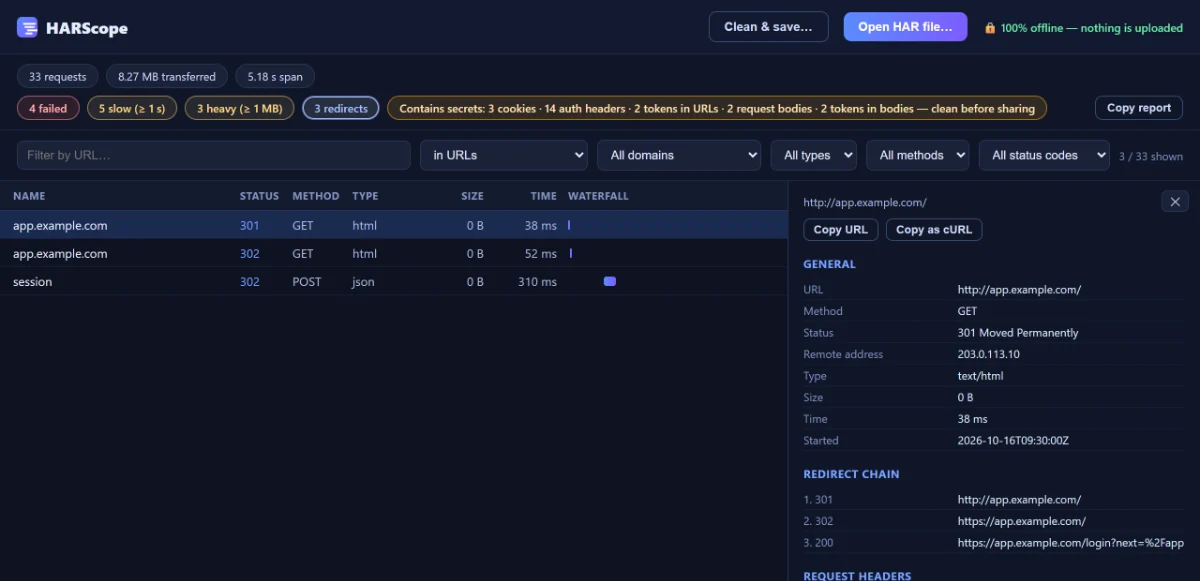
Real HARScope 1.1 window with an example HAR file.
How it works
Open, find, clean — three steps
Got a .har from DevTools or from a customer? This is all it takes.
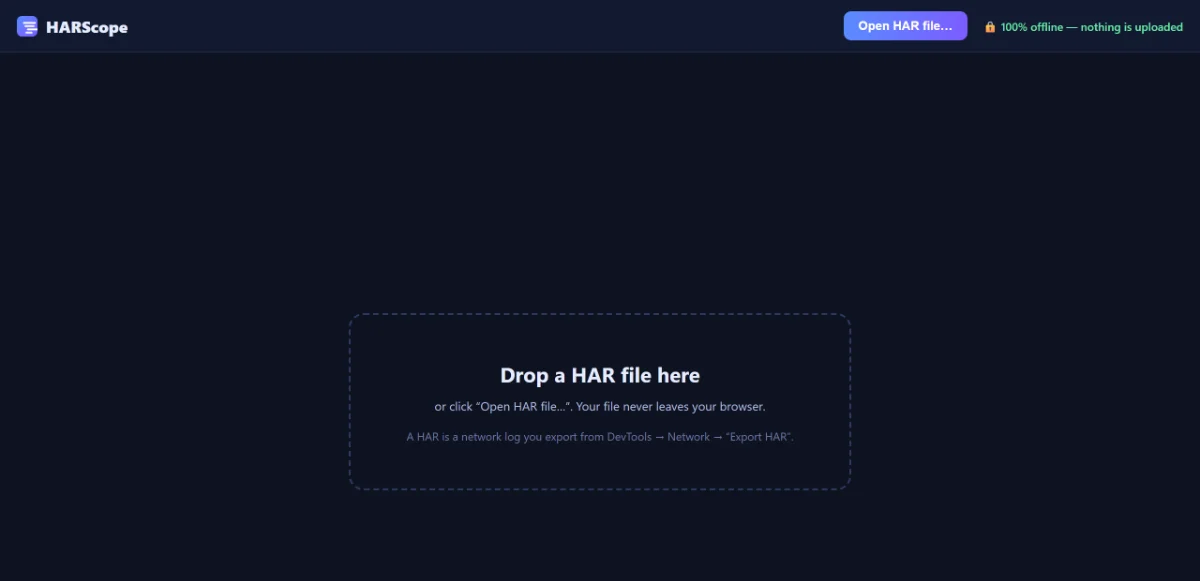
1Open the viewer and load the file
Click the HARScope icon, then drag your .har onto the window or click Open HAR file…
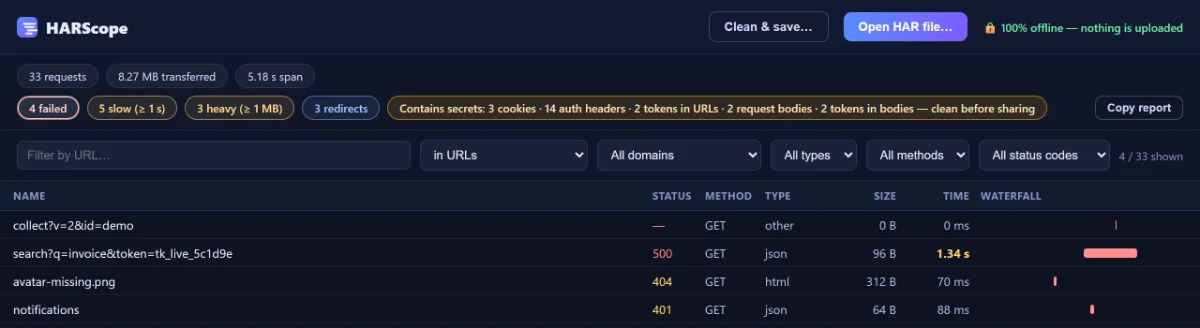
2Find the request that matters
Chips count failed, slow (≥ 1 s), heavy (≥ 1 MB) and redirected requests; one click filters the table.
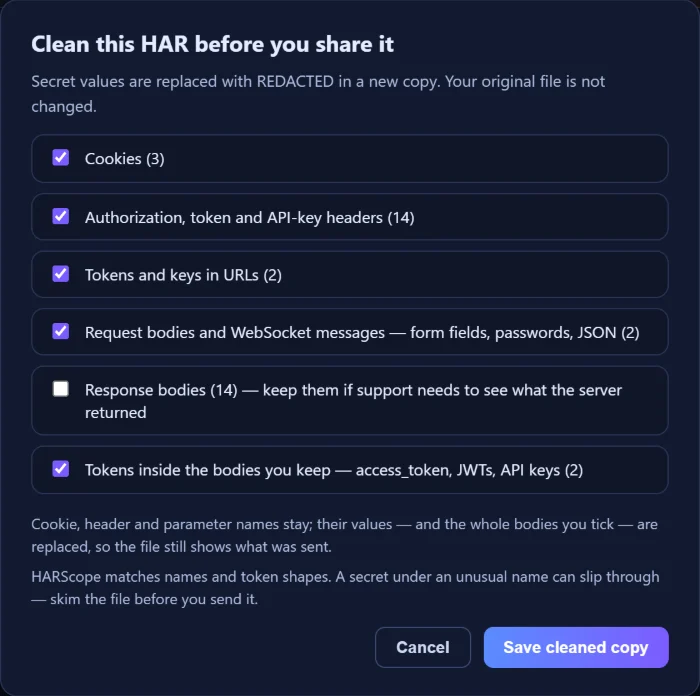
3Clean & save before you share
Pick what to replace with REDACTED and save a cleaned copy. Your original file is not changed.
Why offline
A HAR file can hold your live session
That is why support teams ask for one — and why it is risky to drop it into someone else’s website.
- What a HAR can containCookies and session tokens, Authorization headers, URLs with tokens in the query string, form posts and API payloads, and response bodies with your personal data.
- 0 permissions, 0 network requestsHARScope reads the file inside Chrome on your computer. It cannot read the websites you visit and has no server to send anything to.
- Clean what you sendClean & save… replaces secret values with REDACTED in a new copy. It matches names and token shapes, so skim the file before you send it.
Ways to open a HAR file
Scroll the table sideways →
| Way | Does the file leave your computer? | Problems at a glance | Cleans secrets | Cost |
|---|---|---|---|---|
| Chrome or Edge DevTools — Import HAR | No | Sort and filter the Network panel yourself | Only when exporting: Export HAR (sanitized)… | Free |
| A text editor | No | No — raw JSON | By hand | Free |
| An online HAR viewer | Depends on the site — some upload it, some read it in the page | Varies | Varies | Free or paid |
| HARScope | No — 0 permissions, no network requests | Failed, slow, heavy, redirects | Clean & save…, six options | Free |
More: how to open a HAR file · how to sanitize a HAR file · the online analyzer.
Features
Read a HAR file instead of scrolling JSON
Problems first
Failed, slow, heavy and redirected requests are counted at the top — and a chip tells you whether the file contains secrets.
Redirect chains, followed
Redirects are linked into chains, and a loop is marked as a loop.
Table, waterfall and details
Sortable name, status, method, type, size and time, a waterfall, and headers, bodies and timings for the request you click — with Copy as cURL.
And more
- Filter by URL — or in headers and bodies too
- Domain, type, method and status filters
- Copy report: a short summary to paste into a ticket
- Copy URL, Copy as cURL, Copy response
- Interface in 14 languages
- The same viewer online — nothing uploaded
Pricing
Free. No account, no ads, nothing to upgrade.
HARScope has no paid plan.
HARScope
The extension and the online analyzer.
- Every feature, including Clean & save
- No account, no ads, no tracking
- No permissions, no network requests
- Updates from the Chrome Web Store
Made by BiLingoPlus LLCsupport at info@bilingoplus.com
Privacy & permissions
Nothing to upload, nowhere for it to go
| Reads | Only the HAR file you open in it. It cannot read the websites you visit. |
|---|---|
| Sends | Nothing. The extension makes no network requests — its own content policy blocks them — and has no analytics and no account. |
| Permissions | None — no permissions, no host permissions, no content scripts |
The online analyzer runs the same code in a frame that the browser forbids from making any network request.
Full privacy policy → Made by BiLingoPlus LLC, Wyoming · support from the people who build it
Questions
Questions about HARScope
Is HARScope free?
Yes — free, with no account, no ads and no tracking. The extension’s interface is in 14 languages; the online analyzer is in English.
Does HARScope upload my HAR file anywhere?
No. The file is read and shown inside your browser, on your own device. HARScope requests no Chrome permissions and makes no network requests.
Can HARScope clean or redact a HAR file?
Yes, since version 1.1.0. Clean & save… replaces cookies, authorization and token headers, tokens in URLs and request bodies with REDACTED in a new copy; your original file is not changed.
What does cleaning not catch?
HARScope matches names and token shapes, so a secret under an unusual name can slip through. Response bodies are kept unless you tick them, and base64 bodies are not scanned. Skim the file before you send it.
Can HARScope see the websites I visit?
No. It has no permissions, so it cannot read the websites you visit. It only shows the HAR file you open in it.
Should I use the extension or the online analyzer?
Either. The online analyzer runs the same viewer with nothing to install; the extension works offline and in 14 languages.
Guides
Guides for HAR files
Guide
How to sanitize a HAR file before you share it
DevTools’ sanitized export, HARScope’s Clean & save and what neither removes.
Read the guide →Guide
What is a HAR file?
The JSON inside, why support asks for one and the private data it holds.
Read the guide →Guide
How to open a HAR file
DevTools, a text editor, online viewers and an offline viewer — safely.
Read the guide →
Get HARScope
See what’s inside a HAR before you send it.
Chrome extensions install on a computer.
- Free
- no account
- no ads
- 0 permissions
More tools from BiLingoPlus
Other tools from the same studio
-

Translate Slides with AI
Translate a whole deck into 100+ languages
Google Slides™Free + Premium100 slides free every month · Premium from $9.99/mo billed yearly
-

GridScoop
Export web tables and data grids to Excel & CSV
ChromeFree + Pro300 rows a day free · Pro $15/year
-

Cardwright
Turn highlighted text into flashcards for Anki
ChromeFree + ProFree for 25 cards and 3 decks · Pro $4.99 once