
Google Slides™ translator add-on
Translate Slides with AI
Translate a whole Google Slides™ deck in one run — layout kept.
The whole deck, one slide or a selection, speaker notes too — into 100+ languages. Bold, colours and links stay on the right words. No API key, no copy-paste.
- 100 slides free every month, no card
- Premium $9.99/mo billed yearly or $14.99 monthly
- 14-day refund
Real panel (version 11) next to a demo slide. The animation stops if you prefer reduced motion.
How it works
Three steps, all inside Google Slides™
No key and no second account — the translator opens as a panel next to your slides.
1Open the translator
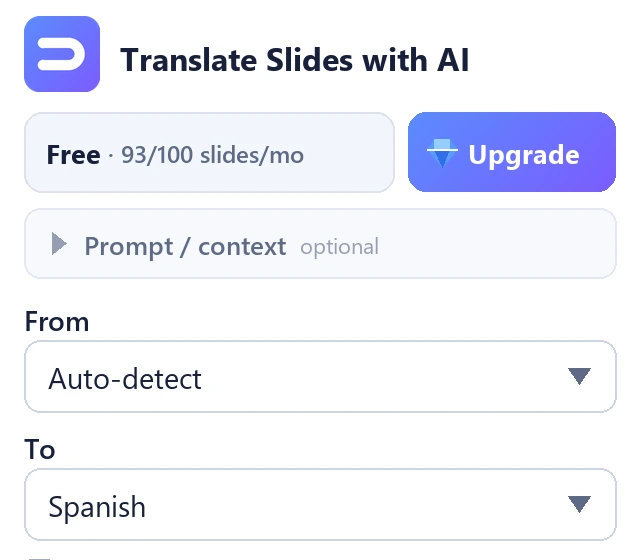
Extensions → Translate Slides with AI → Open translator. The panel opens on the right.
2Pick the language
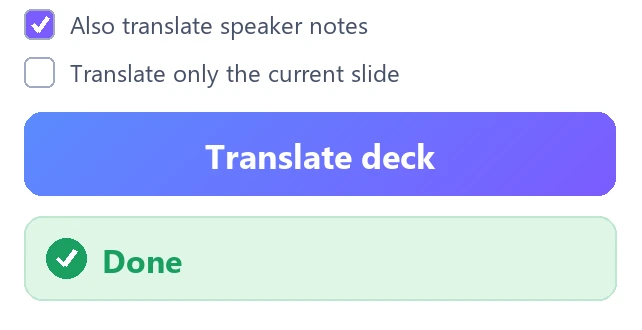
Leave From on Auto-detect and choose a language in To. Tick Also translate speaker notes if you need them.
3Click Translate deck
The open deck is rewritten in place — make a copy first (File → Make a copy) to keep the original.
Before and after
The same slide in English and Spanish
The title keeps its two colours, the bold phrase stays bold, and the label still fits inside the circle.
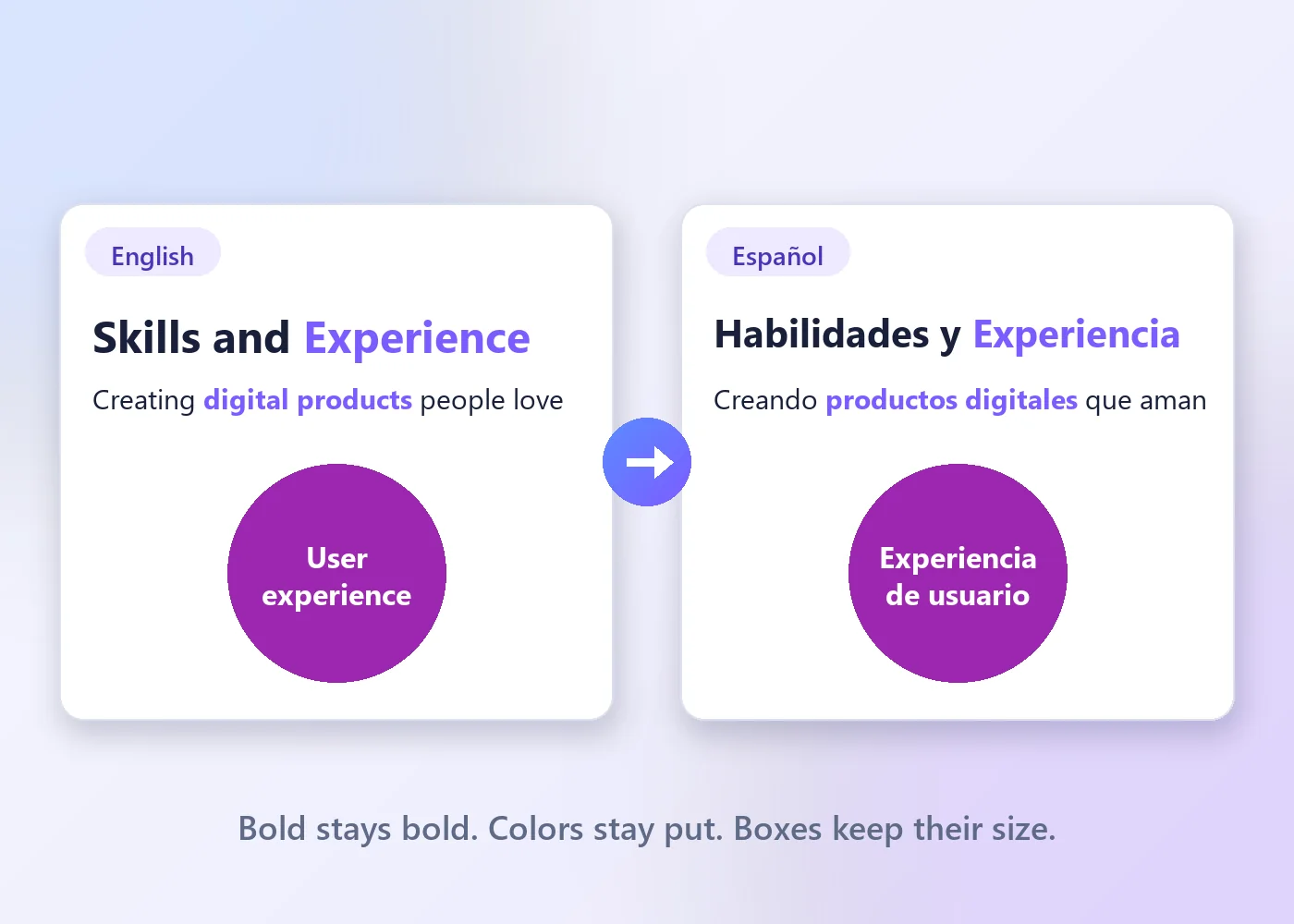
- Formatting stays on the right wordsBold, italic, colours, fonts, sizes and links on individual words carry over. In boxes with very many style changes (over 24), per-word styling is not re-applied — check those.
- Length-aware translationEvery request asks the AI to stay close to the source length — never more than about 15% longer — so most layouts stay intact. Boxes and fonts are not resized.
- One run, in placeTitles, text boxes, tables and grouped shapes — plus speaker notes when you tick the box. Text inside images and charts is not translated.
Every way to translate a Google Slides™ deck
Scroll the table sideways →
| Way | Whole deck at once | Formatting | Speaker notes | Cost |
|---|---|---|---|---|
| Google Translate, copy-paste | No — box by box | Mixed styling inside a box is lost on paste | Only if you paste them | Free |
| Google Translate, .pptx upload | Yes | Round trip through .pptx — check every slide | Not described by Google — check | Free · files up to 10 MB |
| Google Docs™ “Translate document” | Text yes, then pasted back by hand | Reapplied by hand | Only if you add them to the Doc | Free |
| Translate Slides with AI | Yes, in place | Kept, including per-word styling* | Optional checkbox | 100 slides/month free · Premium $9.99/mo billed yearly or $14.99 monthly |
* Not re-applied in boxes with over 24 style changes. Steps for each way: how to translate Google Slides · translation add-ons compared · when translated text doesn’t fit.
Features
One panel does the whole job
The whole workflow in one panel
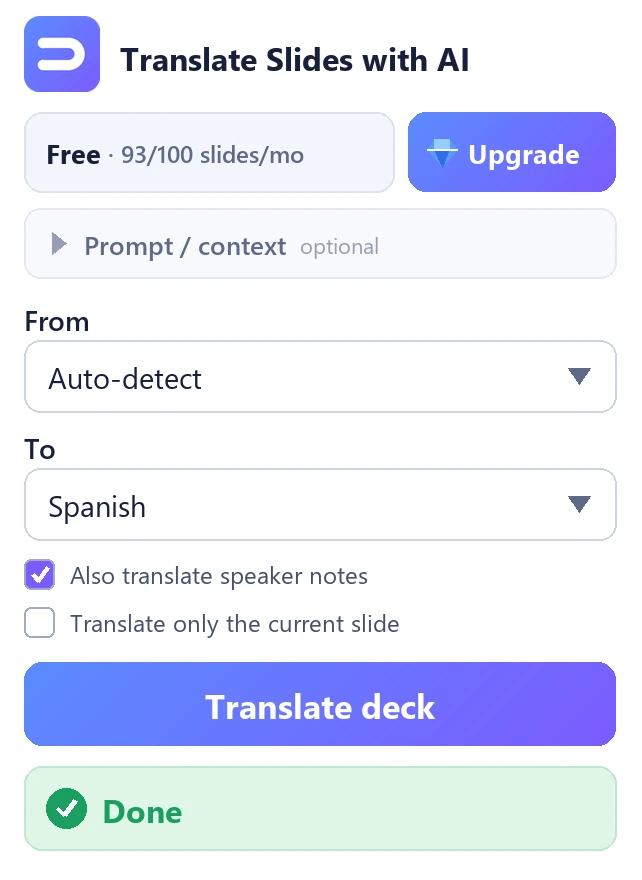
Whole deck, the current slide, or only the selected text or frame. No exports, no other tabs, nothing to paste back.
Your words, your tone
Add instructions in Prompt / context — a register, a glossary, brand names to leave in English, or “keep headings short”.
It sees one deck. Yours.
The add-on asks only for the presentation you have open. It cannot open your other files.
And more
- 107 languages in any direction, with Auto-detect
- Speaker notes with one checkbox
- Titles, text boxes, tables and grouped shapes
- A translator’s QA checklist in every request — accuracy, fluency, terminology, style, locale
- No API key and no second account
- The same AI engine on Free and Premium
Pricing
Free for 100 slides a month
The same AI in both plans. Premium raises the monthly allowance from 100 slides to 10,000.
Premium
billed yearly ($119.88) · or $14.99 monthly · save $59.88 a year
- 10,000 translated slides a month — 100× the free plan
- Everything in Free, same AI engine
- Support from the developer
- Cancel anytime
Free
No card, no API key — install and translate.
- 100 translated slides a month — resets on the 1st
- The full AI engine, not a weaker one
- Whole deck, one slide or a selection
- Speaker notes
Bought inside the add-on: 💎 Upgrade → Get PremiumPaddle is the Merchant of Record14-day refund on any charge, renewals includedcancel anytime
Privacy & permissions
It sees one deck — and we say where the text goes
| Reads | The text of the presentation you have open: titles, text boxes, tables, grouped shapes — and speaker notes if you tick the box. No other file. |
|---|---|
| Sends | Slide text to OpenRouter, our AI provider, under our account; the translation comes straight back and we keep no copy. Premium only: your checkout email to Paddle to confirm the subscription. A few diagnostic lines (counts and outcome codes, no slide text) to our log. |
| Permissions | presentations.currentonly the open deck only · script.container.ui the panel · script.external_request translation and the Premium check · userinfo.email to recognise Premium |
Translating confidential material? Read the privacy policy first: the text leaves your browser for translation and comes back.
Full privacy policy → Made by BiLingoPlus LLC, Wyoming · support from the people who build it
Questions
Questions before you install
Is it free? What’s the limit?
100 translated slides every calendar month, no card. The counter resets on the 1st; when it runs out, translation pauses until the 1st or until you upgrade.
How do I upgrade — and what happens if I ask for a refund?
In the panel choose 💎 Upgrade → Get Premium; checkout is by Paddle. You can ask for a refund within 14 days of any charge, renewals included. After a refund, Premium ends within about a week, the next time the add-on checks your subscription. Decks you translated stay as they are.
What does it access, and what leaves my computer?
Only the presentation you have open. Its text goes to OpenRouter for translation and comes straight back; we keep no copy. With Premium, your checkout email goes to Paddle. Your other files are invisible to the add-on.
Which languages does it support?
107 languages, in any direction. Leave From on Auto-detect and the source language is detected for you.
I installed it but can’t see it — what now?
Look under Extensions → Translate Slides with AI. If you are signed in to several Google accounts, it may be installed for a different one: open the deck with the account you installed it on.
Will it keep my bold text, colours and links?
Yes — styling on individual words inside a text box is kept. In boxes with very many style changes (over 24), per-word styling is not re-applied, so check those boxes.
Do speaker notes count as extra slides?
No. A slide counts once when anything on it was translated, and its notes are part of that slide.
Do I need an API key?
No. The AI runs on our own provider account, so you never create, paste or pay for a key. Earlier versions asked for one; that changed on 10 August 2026 (version 4).
Guides
Guides for translating presentations
More tools from BiLingoPlus
Other tools from the same studio
-

GridScoop
Export web tables and data grids to Excel & CSV
ChromeFree + Pro300 rows a day free · Pro $15/year
-

Cardwright
Turn highlighted text into flashcards for Anki
ChromeFree + ProFree for 25 cards and 3 decks · Pro $4.99 once
-

HARScope
Open, analyze and clean HAR files offline
ChromeFreeFree · no account · no ads · 0 permissions