GridScoop is a Chrome extension that exports tables and data grids from websites to Excel, CSV, Google Sheets, Markdown or JSON. Modern dashboards only build the rows on screen, so ordinary exporters save what is visible and say nothing about the rest. GridScoop spots it, scrolls, and saves every row.
Every feature in the free plan · no account · no trial clock
The dangerous table is not the empty one. It is the grid that looks complete and saves a file that looks complete.
The 12,440 rows in between were never on screen, so they were never in the file.
GridScoop marks the grid virtualized and warns you before you export: “This grid renders only visible rows — a plain export would miss most data.” One click on Capture full grid scrolls the grid by itself and stitches every batch into one table.
No copy-paste, no silently truncated exports, no “select all” that grabs half the page.
On a page with a table or a data grid. GridScoop scans the page and lists what it found, largest first — up to 50 tables.
If it is marked virtualized, click Capture full grid and keep the popup open until it finishes. For a table split across pages, Merge pages joins up to 50 of them.
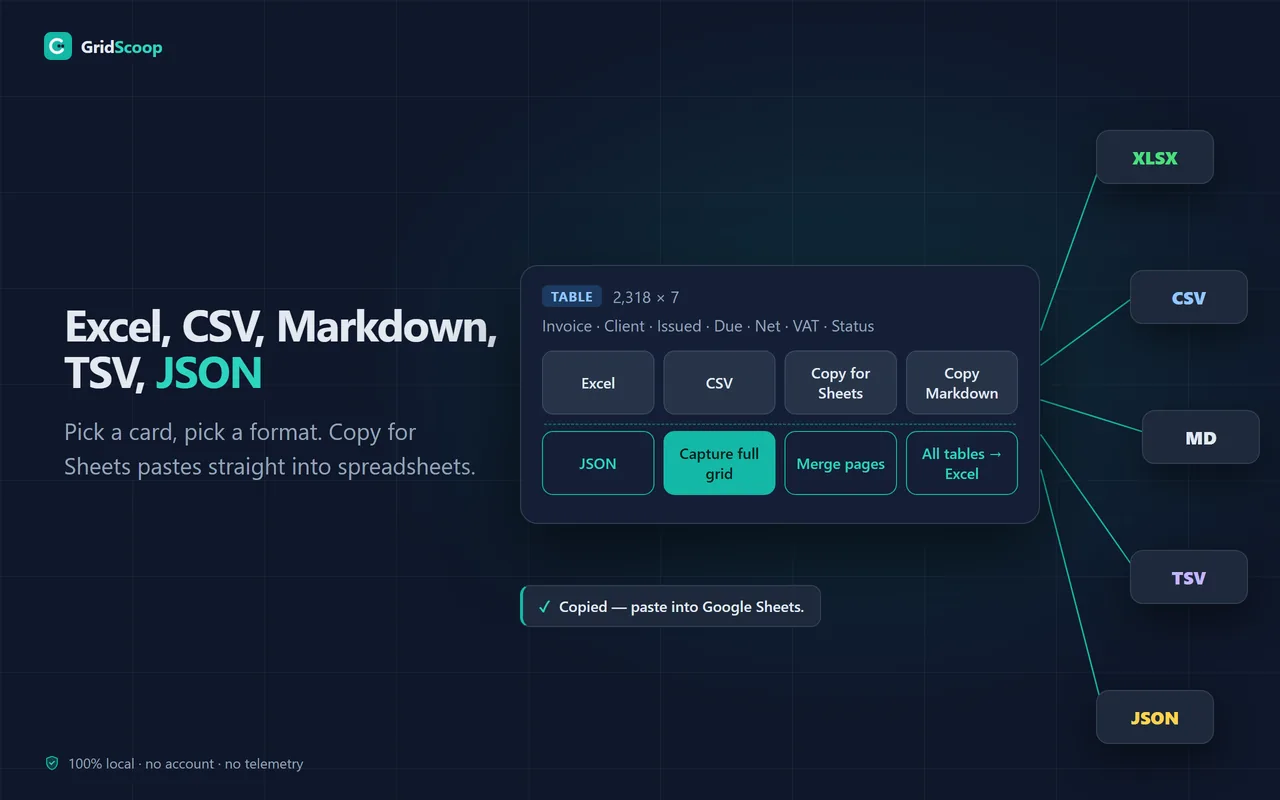
Excel, CSV or JSON as a file; Copy for Sheets or Copy Markdown to the clipboard. With two or more tables, All tables → Excel saves them as one workbook.
Made for real tables — HTML tables and the JavaScript data grids that dashboards and admin panels use — on the page you are already looking at, logged in.
GridScoop flags grids that only build the rows on screen. Capture full grid scrolls them and stitches every batch into one table.
Merge pages clicks the table’s own next-page control and adds each page to the first — up to 50 pages, for tables that change page in place.
An .xlsx file where numbers stay numbers. Every table on the page can go into one workbook, one sheet per table.
CSV in UTF-8, so accents open correctly in Excel. Copy for Sheets puts the table on your clipboard, ready to paste into Google Sheets. Cells that look like formulas are guarded.
A Markdown table for docs, wikis and AI chats; JSON with one object per row and the header cells as keys.
Tables are read and converted inside your browser, only on the tab you click, only at that moment. No account, no telemetry; the free features make no network requests.
Nothing below is a benchmark. Open a dashboard you already use, export it twice, and compare the two files.
| On the page | An ordinary exporter | GridScoop | |
|---|---|---|---|
| Rows the grid holds | 12,480 | 12,480 | 12,480 |
| Rows built in the page right now | 40 | 40 | 40 |
| Rows in the file you get | — | 40 | 12,480 |
| Warning that rows are missing | — | none | “This grid renders only visible rows — a plain export would miss most data.” |
| Pages merged into that file | — | 1 | up to 50 |
| Tables on the page in one workbook | — | 1 | up to 50 |
| Where the data was processed | — | — | your browser |
This is not a difference you would notice in a menu. It is the difference between a report and a wrong report.
Nothing is crippled and there is no trial clock: detection, full-grid capture, page merging and every export format are in the free plan. The free plan counts rows — 300 a day. Pro removes that ceiling.
Refund within 14 days of any charge, including a renewal, for any reason. Cancel anytime from your Paddle receipt or by email — Pro runs to the end of the year you paid for.
Because the page never had the rest of it. Modern dashboards are virtualized: to stay fast, they build only the forty or so rows on screen and throw away the ones you scroll past. Any tool that reads the page reads those forty and calls it done. GridScoop detects a virtualized grid, tells you what it found, then scrolls the grid itself and stitches every batch into one complete table.
Yes. GridScoop reads the page that is open in your tab, after its JavaScript has run and with you logged in, so dashboards, admin panels and reporting tools work. Excel From Web and Google Sheets IMPORTHTML fetch the page themselves, without your login, so they usually cannot see those tables.
For tables and JavaScript data grids, yes. Excel, CSV, JSON, Markdown and Copy for Sheets are all in GridScoop’s free plan, with 300 exported rows a day; Table Capture’s listing puts Excel and CSV downloads and Markdown in its Pro plan (checked 16 October 2026). For pages of product cards or search results, a list scraper such as Instant Data Scraper fits better. See the full comparison.
Rows, not features. Every feature is free, in every format, with no trial: detection and warnings, full-grid capture, page merging, whole-page workbooks. The free plan includes 300 exported rows a day. Pro removes that ceiling for $15 a year.
For the occasional lookup, yes — 300 rows is one everyday table. One export never costs more than 300, so any single grid exports in full once a day, even a 12,480-row capture. GridScoop counts the rows before it exports: if an export does not fit into what is left, nothing is cut short and nothing is spent, and the allowance resets at midnight by your computer’s clock. If large grids are your normal Tuesday, Pro works out at $1.25 a month.
Because grids keep changing. Sites update their grid engines constantly, and keeping capture working against them is ongoing work, not a one-time build. $15 covers a year of that upkeep — it’s $1.25 a month, and you can cancel anytime. Nothing you exported ever locks.
Nowhere. Extraction and conversion happen entirely inside your browser — the free features make no network requests at all. If you buy Pro, the extension periodically validates your license key (the key plus the extension’s ID and version — never your data) with our license server. No account, and no analytics or tracking in the extension.
Grids built inside web components (a shadow root) are not scanned in version 1.0. If the data sits inside a frame, right-click it, choose Open frame in new tab and run GridScoop there. Chrome’s own pages and the Chrome Web Store cannot be read by any extension. For files opened from your computer, turn on Allow access to file URLs for GridScoop at chrome://extensions.
Purchases are handled by Paddle, our reseller (Merchant of Record). You can request a refund within 14 days of any charge, including a renewal, for any reason — email info@bilingoplus.com or use the links in your Paddle receipt. To stop the renewal, cancel from the link in your Paddle receipt or by emailing us: Pro keeps working to the end of the year you paid for, then you are back on the free plan.
Step-by-step answers for the cases where a table won’t come out whole.
Copy-paste, Excel From Web, Google Sheets IMPORTHTML and an extension — and where each one quietly drops rows.
Read the guide → COMPARISONFour table extensions compared from their store listings: what each does, pricing and which to use.
Read the comparison → HELPExports, missing rows, the daily allowance and Pro.
Open help → CHANGELOGVersions and what each one changed.
Open changelog →Install GridScoop, open the grid you export every week, and compare the row count with the file you got last time.
"Excel" and "Google Sheets" are trademarks of their respective owners; GridScoop is an independent tool.
 BiLingoPlus